Writing 5 min read
Twitter header size: keep your profile banner readable across screens
Use X’s recommended 1500 × 500 header size, place essential content away from crop edges and avatar overlap, and check the saved banner on desktop and mobile.
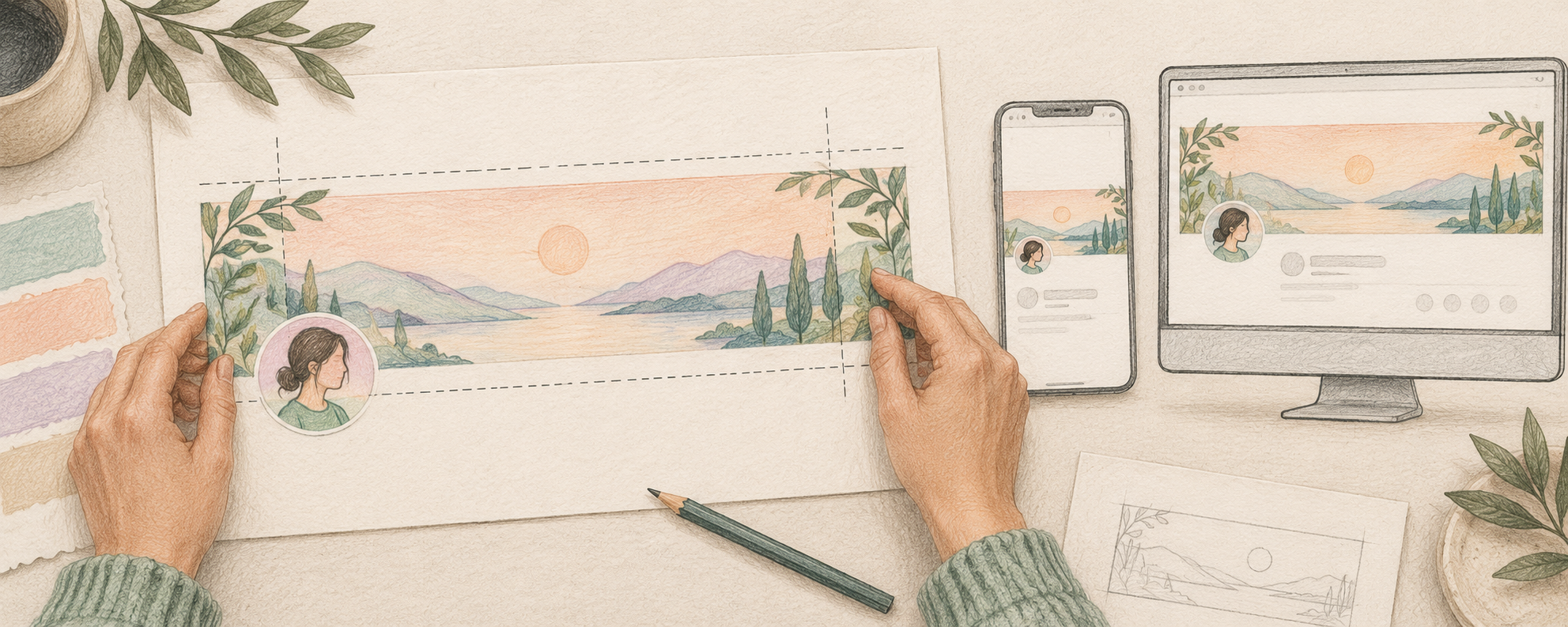
What size should a Twitter header be?
Use 1500 × 500 pixels, a 3:1 rectangle, for an X profile header. X recommends those dimensions and warns that parts of the top and bottom can still be cropped on different monitors and browsers. Keep the message short, leave generous space around essential text or symbols, and inspect the saved profile on desktop and mobile. Dimensions alone do not guarantee that every part of the artwork will remain visible.
This guide focuses on the profile banner, not an image attached to a post. On 17 October 2026, we compared searches about header safe areas, missing link previews and repurposing blog posts. Hootsuite’s image-size guide appeared in the observed results for “twitter header size safe area profile banner.” Its publishing product supports X scheduling, making it a relevant broader competitor. This is a qualitative search snapshot, not a stable ranking, search-volume estimate or evidence that a banner improves sales. The workflow and examples below are original; platform dimensions come from X Help.
X Help: recommended dimensions and header croppingObserved competitor guide: social media image sizesChoose dimensions for an ordinary post imageWhere is the safe area for text and a logo?
Treat a safe area as a working margin to test, not a universal pixel guarantee. X says 60 pixels at the top and bottom could be cropped. Start by keeping essential content well inside those edges, and keep it away from the lower-left area where your profile photo overlaps the banner. Do not assume that a downloadable template’s exact avatar cutout matches every screen. Put decorative texture near the edges; keep the meaning in a compact central area that survives your actual previews.
For a fictional invoicing tool, try one line such as “Clear invoices for independent designers” with a simple original mark. Move the line away from the avatar and use enough contrast to read it at phone size. A product screenshot full of small labels may fit the canvas but become unreadable after scaling. If it needs a paragraph of explanation, move that explanation into the bio or a useful pinned post. Avoid invented customer logos, revenue figures, testimonials or interface screenshots merely to fill the space.
Write a clear founder bioChoose a useful pinned postHow do you check a header before keeping it?
First, save an editable master at 1500 × 500 and export a clean image. Second, open Edit profile in the official X app or on x.com, select the header, adjust the available crop and apply the change, then finish saving the profile. Third, inspect the saved profile rather than only the upload dialog. Read the line at normal viewing size on a desktop and phone, look for avatar overlap, and check whether any essential symbol or letter touches a crop edge. If you can only inspect one device, record that limitation and check the other before treating the layout as finished.
Use a simple pass-or-revise checklist: the whole message is readable; the avatar hides no essential content; edge cropping removes only decoration; the banner agrees with the current bio and product; and the profile still makes sense if the image fails to load. Ask a colleague what the business does after seeing the profile without explaining it first. That is a comprehension check, not a conversion experiment. Keep the core offer in readable profile text too, so understanding the account does not depend entirely on artwork.
Why is the banner still cropped or blurry?
If text disappears, move it inward and simplify before repeatedly resizing the same crowded layout. A correctly sized upload can still be cropped because display conditions vary. If the image looks soft, check that the original export really is 1500 × 500 rather than a smaller file enlarged to those dimensions, and compare the saved result at normal size. Thin lines and tiny text are fragile after scaling. Try a simpler composition with larger lettering; no export format can recover detail that was absent from the original.
If uploading fails, confirm you are using x.com or an official X app, apply the image change, and try an up-to-date browser as X’s troubleshooting guidance suggests. Its stated 2 MB maximum on that help page is for profile photos; do not silently present it as a verified header limit. Keep your previous usable export so you can restore it if the revision is worse. Review the banner when the offer changes, not as a substitute for answering real customer questions. A tidy header helps explain an account; it cannot prove demand or guarantee leads.
X Help: upload troubleshooting and its stated limitsAudit the whole founder profile